Operation Starfall: Map Mechanic
Duration and Team size:
I made this map with one other developer and we made this in fifteen weeks.
The map mechanic:
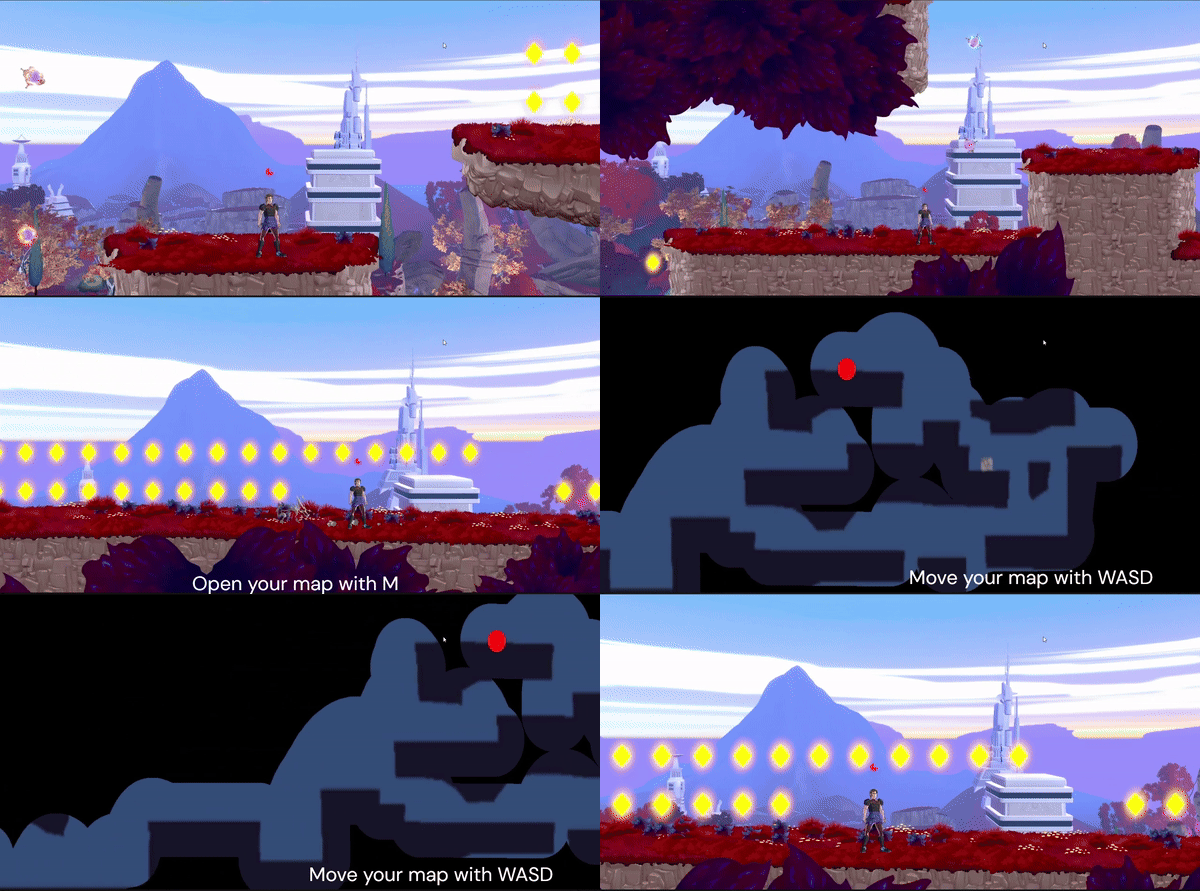
This mechanic is a map me and someone else made for the game Operation Starfall. The mechanics works as followed:
When the level starts up a screenshot is made of the entire level and the materials are changed to make the map bland.
With help of a shader graph we make it that there's a black mask over the map. Then we calculate the player position to the position on the mask and the image of the map. Then we draw over the mask to 'reveal' the area that the player walked over.
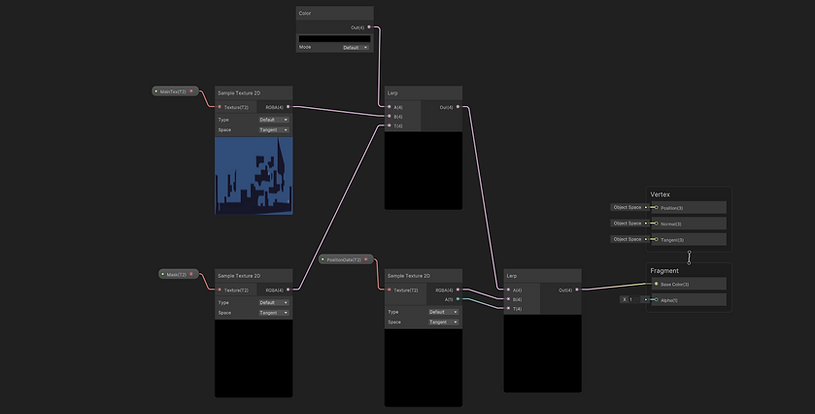
The used shaderGraph
The map mechanic code:
The scrip down below is the script made for moving the map. The script uses a rect to calculate the width and height of the map image (seen in picture below the code).
With the rect we make a calculation for the Min and Max of the x and y positions and we Clamp those valuables so the map when it gets moved 'dragged' the image doesn't go out of the screen borders and always fills the entire screen.
What this script also adds for convenience is that when the game boots up it always put the map image to the center of the image. So if you open the map after exploring for a while you always know that the map starts in the center of the map image.

The hard part about making this mechanic is mostly the math and calculations that work in the background while the game boots up. Getting the red dot (player position) to be correctly shown on the map was also a little bit of a hiccup to do.
I learned a lot about how to use more math in my code and also how layer masks and screenshot taking works in Unity.
