Operation Starfall: Screenshot & Object Scaling Tool
The Screenshot Tool:
Duration and Team size:
I made this tool in ten weeks on my own.
The Screenshot mechanic:
With this tool you can make screenshot of a selected camera view. You can change the resolution width/height of the screenshot taken and you can change the path to where its saved.
As you can see in the code down below for the screenshot to be taken it makes a RenderTexture for the camera to use. Then it makes a 2D texture for the screen shot and renders the camera view. With help of the 2D texture it renders the view with the ReadPixels() function and then it applies it to the Texture2D. After that the camera and RenderTexture will be reset for a new screenshot and the made Texture2D will be made into an PNG with the EncodeToPNG() function and it saves it to the written file path in the editorwindow. To end the screenshot code it refreshes the AssetDataBase so the screenshot is shown.

The hard part of making this tool was learning with OnGUI and how to use and EditorWindow, since I had never used them before. The learning process was fun and I learned a lot about editor windows and how to use them.
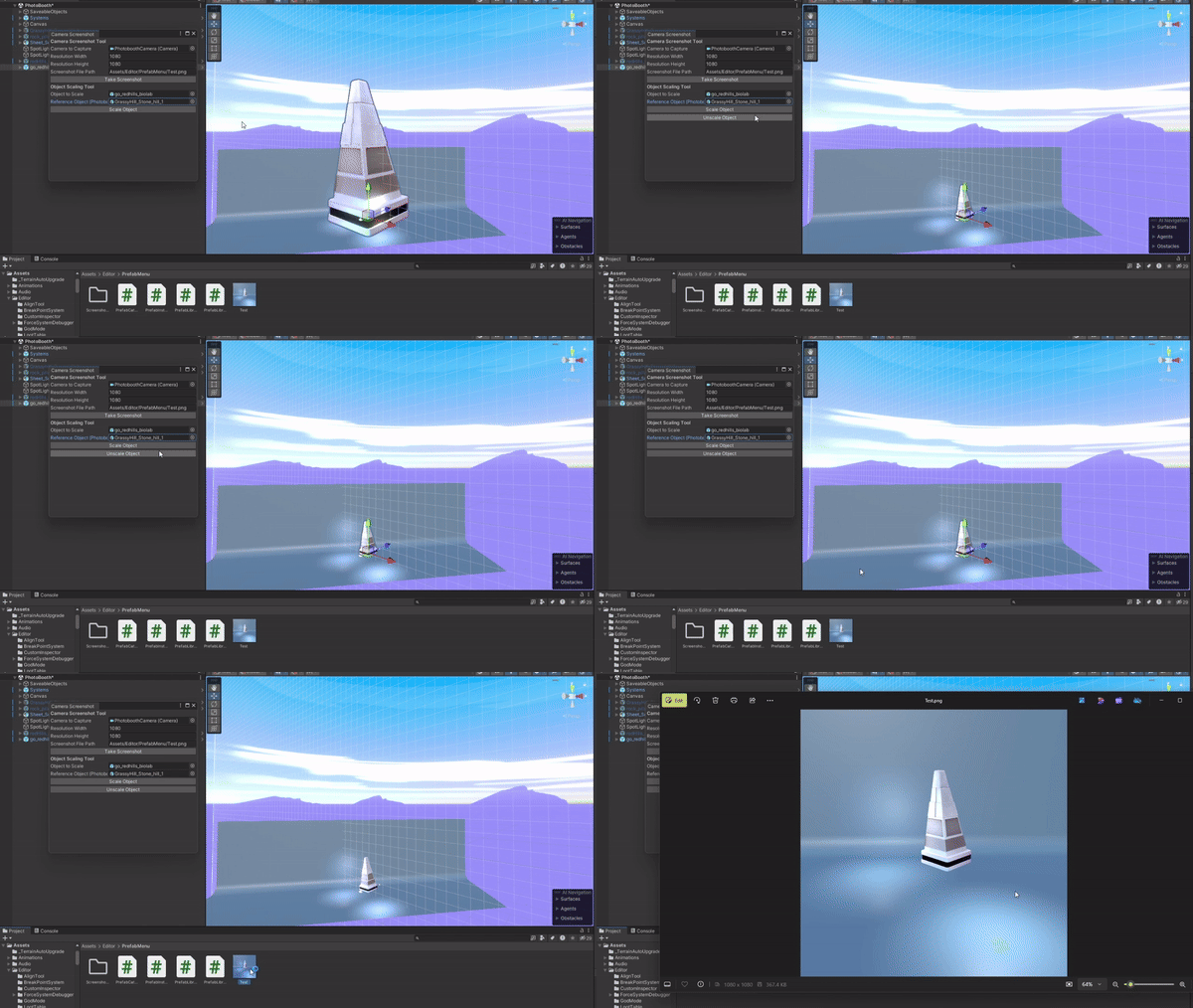
The ObjectScaling Tool:
The ObjectScaling tool is made to help assist the screenshot tool. In the end objective to make a thumbnail for every prefab in this project that is placed our own made prefab library.
I first made a version of it that only worked in play mode (on boot up) as shown down below. This tool chooses a base prefab (the photoboothObj) and grabs those bounds around that prefab to scale them with the prefab that needs to be scaled (the scaleObject) (look in the gif above).

In the second version of the ObjectScaling tool I made it so it works outside of play mode and in the same editor window as the screenshot tool (as shown in the gif above). The code stayed mostly the same only some differences to make it work outside of play mode.

While making the Scaling tool I found the most difficult thing to do in the first version. The mathematics of calculating/scaling the object based off of the bounds of the object with the smaller scale (the photoboothObj)
With some help of colleagues and some tinkering of myself i found it out pretty quickly.
For the second version I didnt have many difficulties but I did learn how to use the editorwindow and the OnGUI function more.